Lots of great stuff shipped last month!
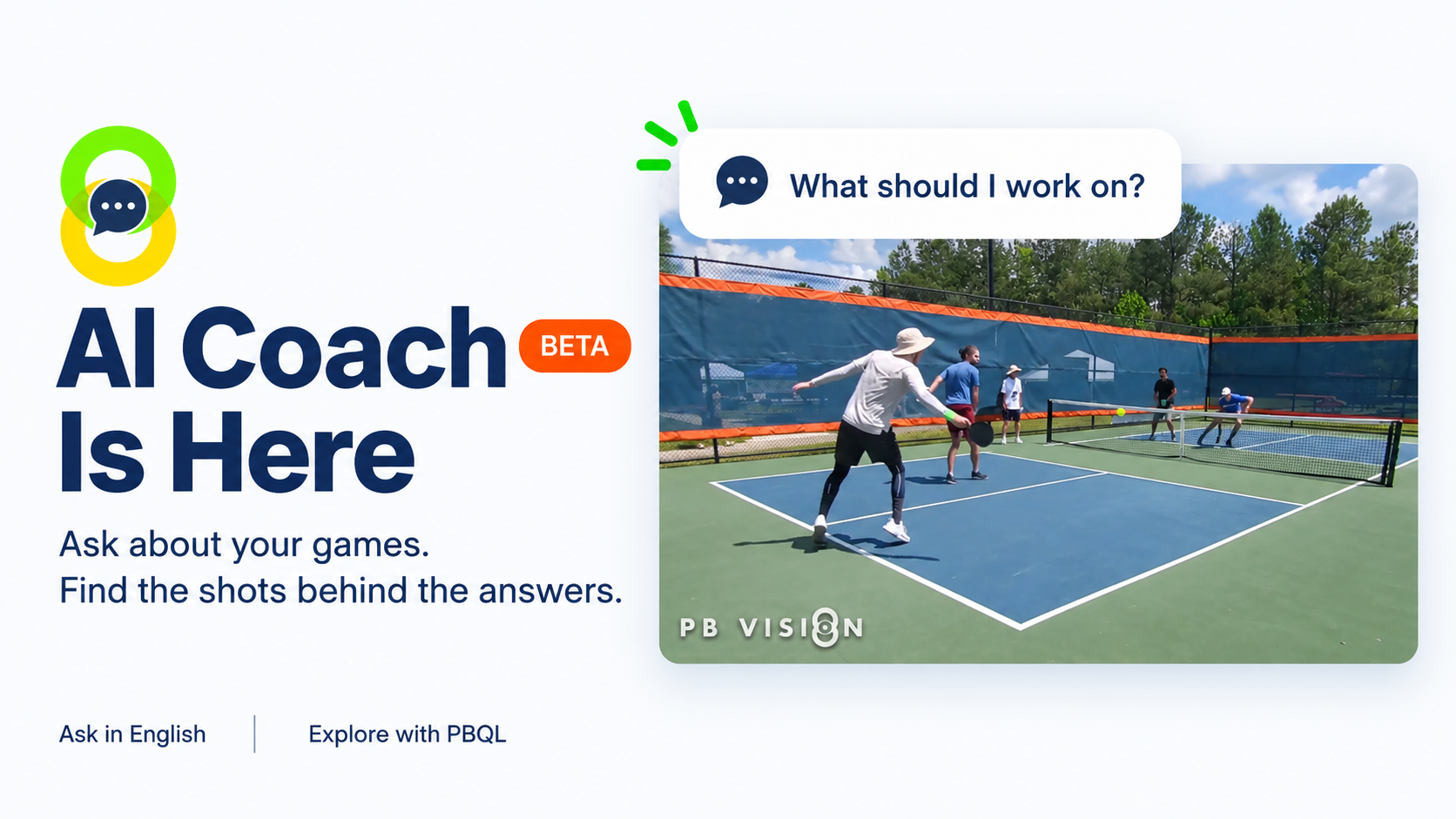
Your games are full of clues about what to work on next. Our new AI Coach helps you connect the dots and turn your game data into actionable advice.
Plus, find any shot, review games more easily, turn your best moments into shareable videos with multi-clip exports, and get even more accurate ratings. 😉
🤖 Meet Your AI Coach (Beta)
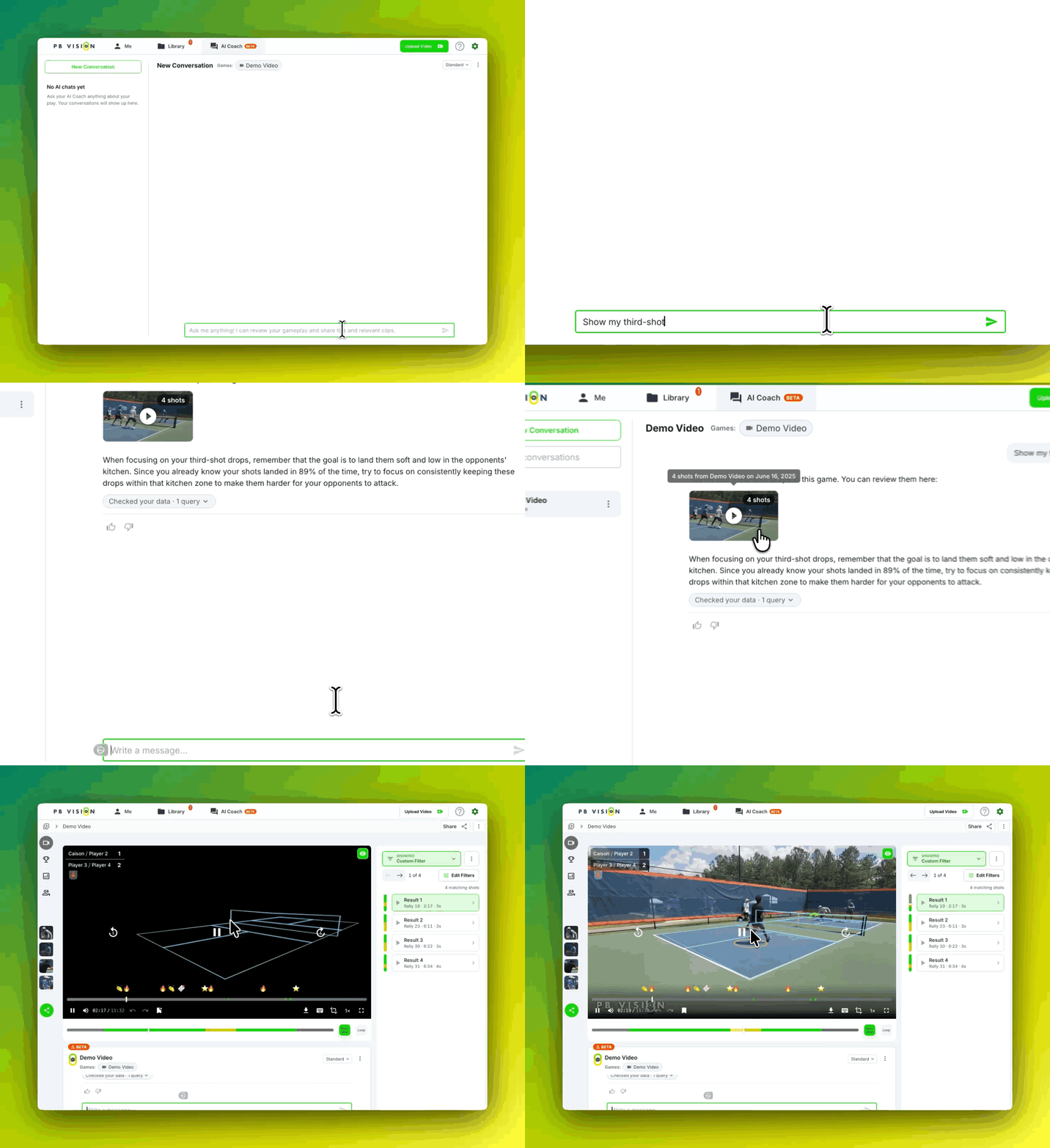
Wondering what to practice next? Ask your AI Coach about your games and drill into the shots and stats behind the advice.
Discuss one game or look for patterns across several. Access your AI Coach below a game’s video, from the AI Coach tab (topbar), or from a folder’s 3-dot menu.
Try: “Looking at these games from my 3.5 tournament, what should I focus on to compete at 4.0?”
Ask follow-up questions and jump straight to relevant shots to see what happened on court.
AI Coach is in beta, and your feedback helps us improve it. While chatting, give an answer a thumbs-up or thumbs-down and tell us what needs work. We’re improving it daily based on user feedback!
🏆Player Skill Ratings v4
Get a more precise picture of how you played. Ratings v4 captures more gameplay detail and better distinguishes individual performances within the same game. Details:
More precise modeling of performance differences between players
Expanded gameplay inputs to capture more detail about how you play
Refined calibration using players' official DUPR ratings
10% improvement in overall rating precision, plus a 30% improvement in game-win predictions
We're now working on v4.1 which will introduce further improvements to the six component skill ratings and deeper stats to explore when drilling into your rating with AI Coach.
🎞️ Turn Your Best Moments Into a Video
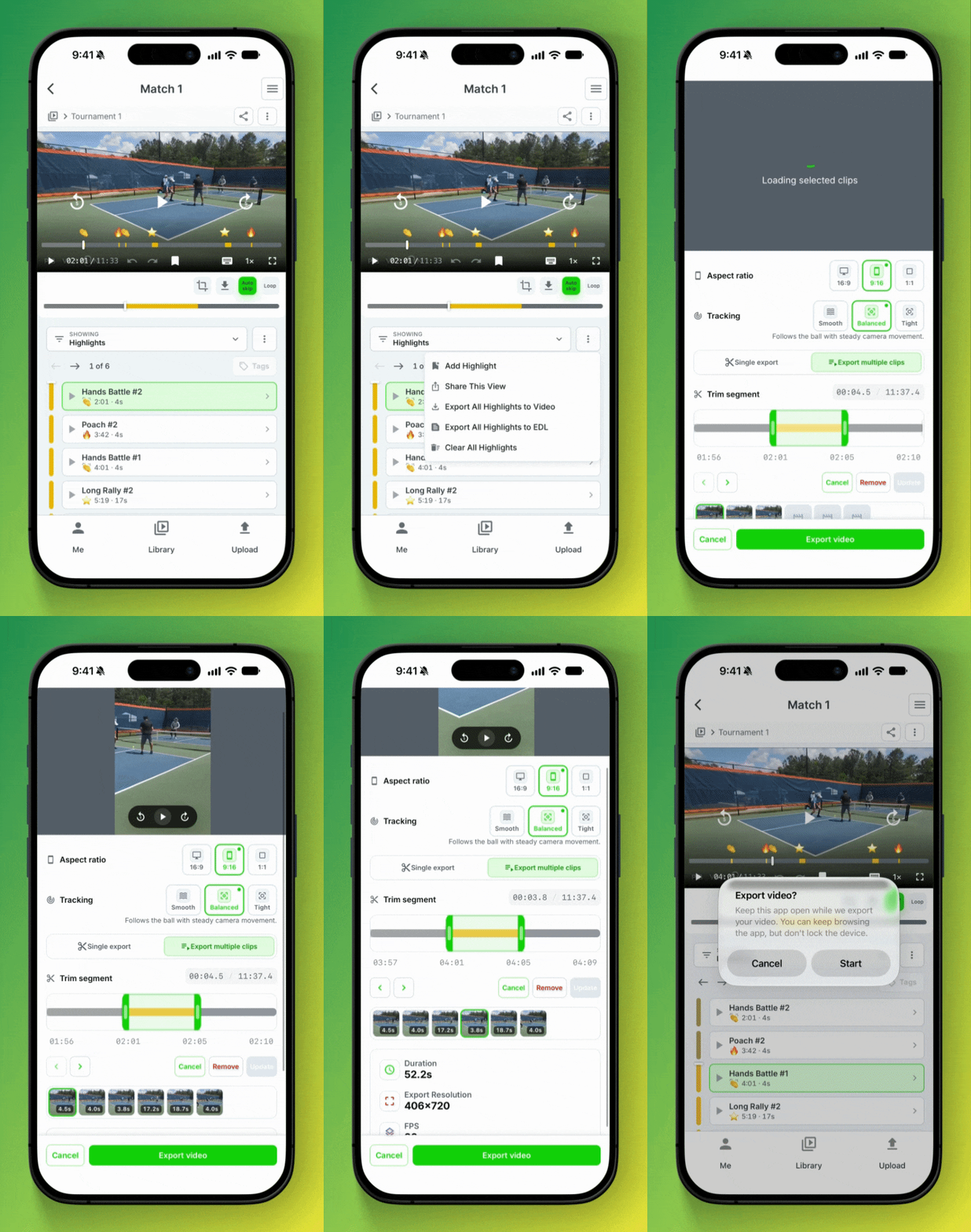
Coaches and creators will love this one. Build a practice review or highlight video from moments across the game.
In the iOS app, use Export All to bring the moments in your current view into one video.
Add, trim, remove, and reorder clips until you get what you need.
Choose vertical or square framing, then pick Smooth, Balanced, or Tight tracking to control how closely the view follows the ball.
We are days away from shipping this on Android and desktop web browsers too!
🔎 Find Shots in Your Own Words
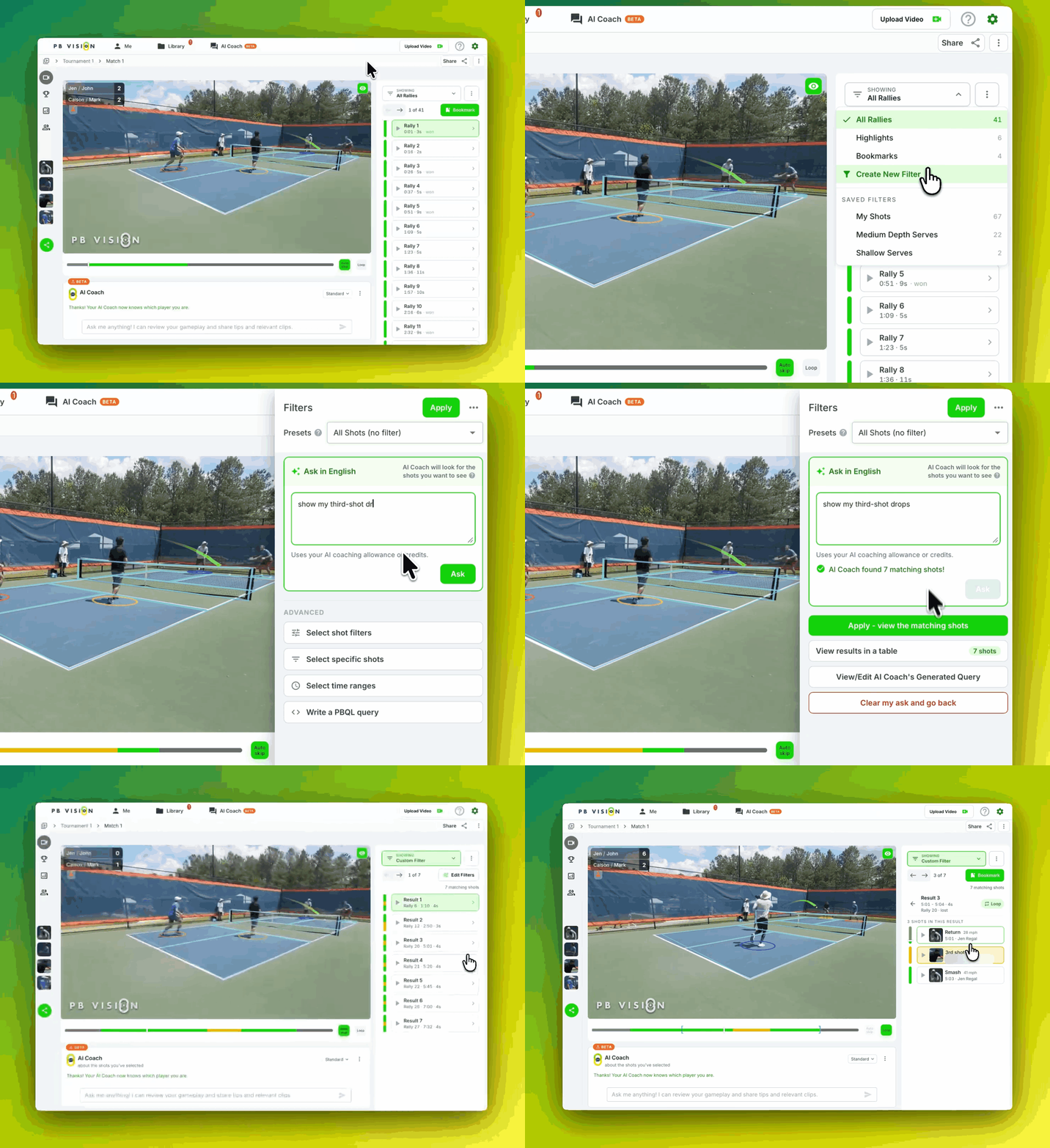
Less time setting up filters. More time watching what matters.
Try “show my third-shot drops” to find the shots you want to review. Tag yourself so “my” points to your shots.
Open Showing → Create New Filter, then use Ask in English to describe what you’re looking for.
Apply the results and start watching. Prefer to choose your own filters? You’ll find those under Advanced.
👀 Your Game Review, Simplified
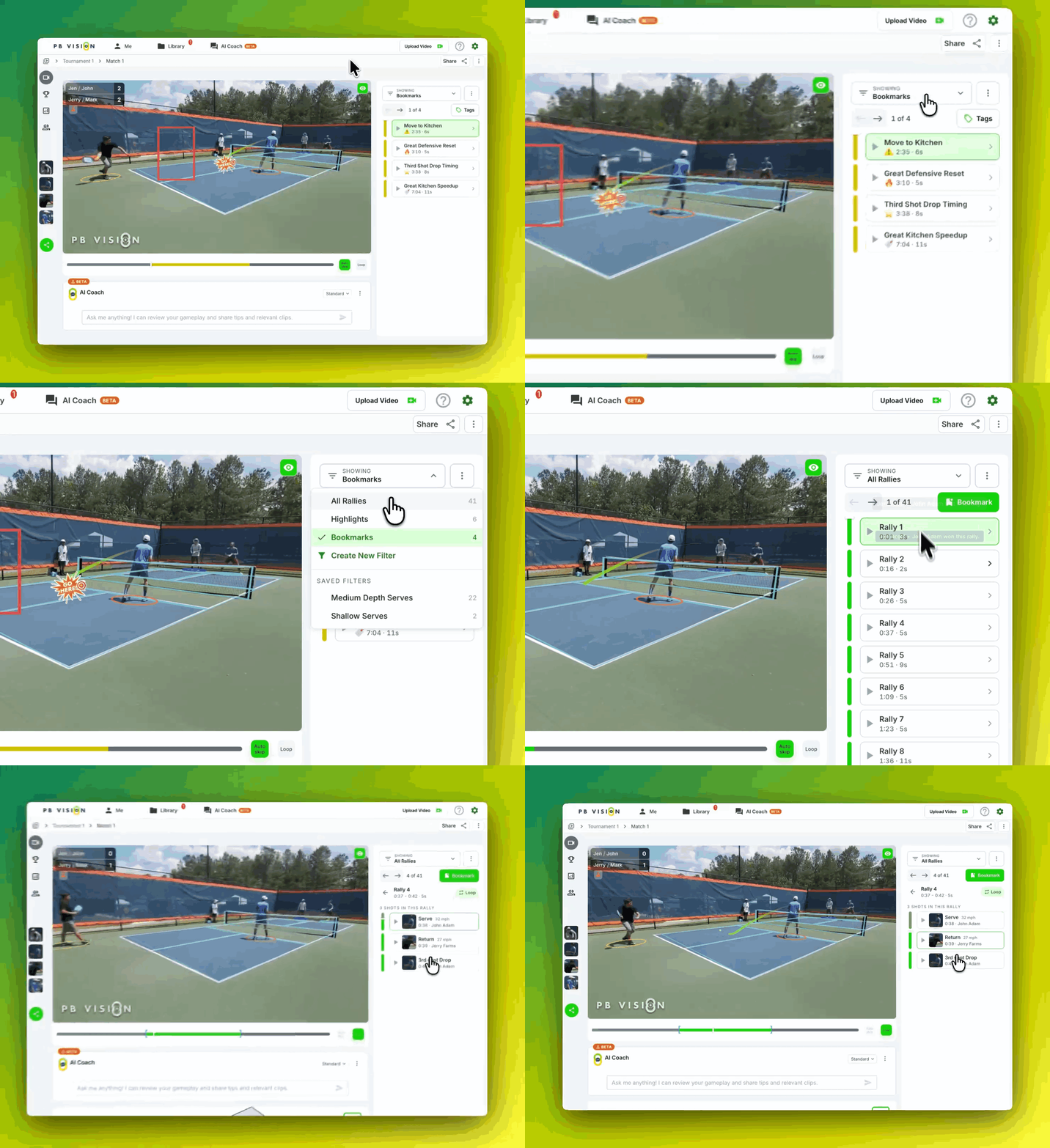
Go from the whole game to the moment you want to revisit, all in one place.
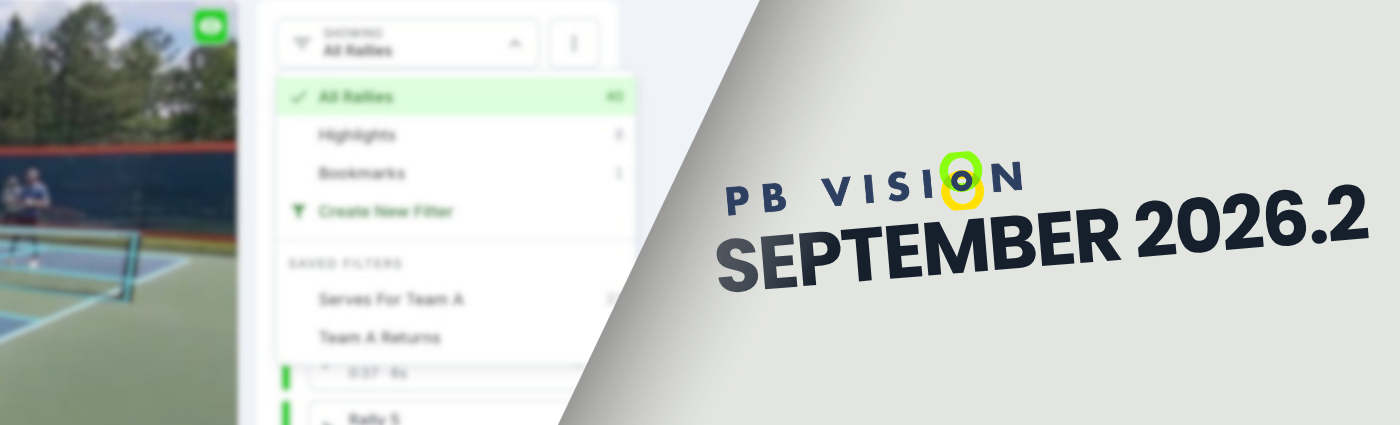
Switch between Bookmarks, Highlights, All Rallies, My Shots, and saved filters using the Showing menu.
Open a moment and loop it to take another look.
Move through the video frame by frame to inspect a contact point, a step, or a decision.
And More!
📊 Build Your Own Stats Tables
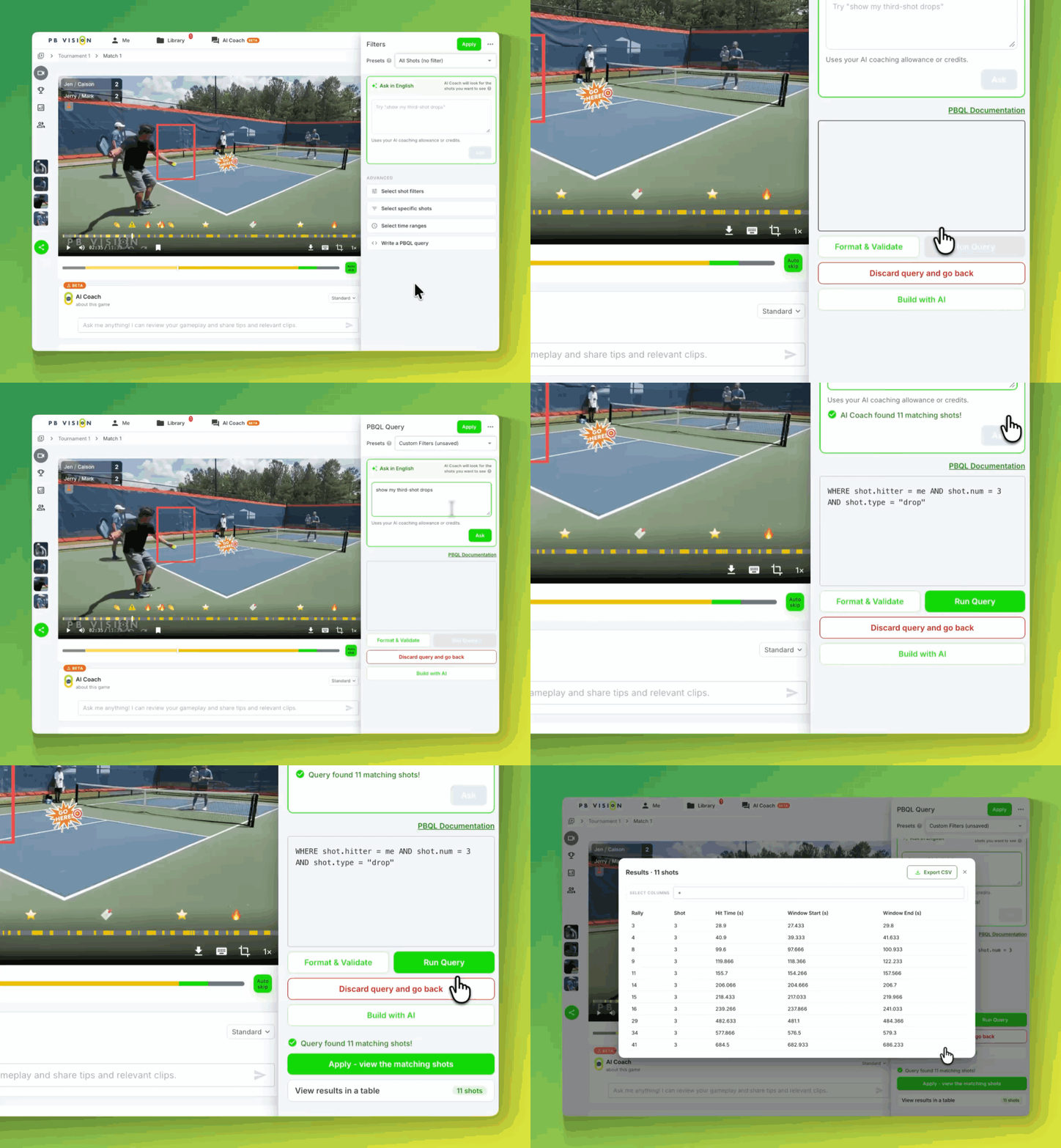
Have a specific question about your game? Explore with PBQL lets you create custom stats tables, save useful queries, and download the results for a closer look.
🌎 Use PB Vision in Your Language
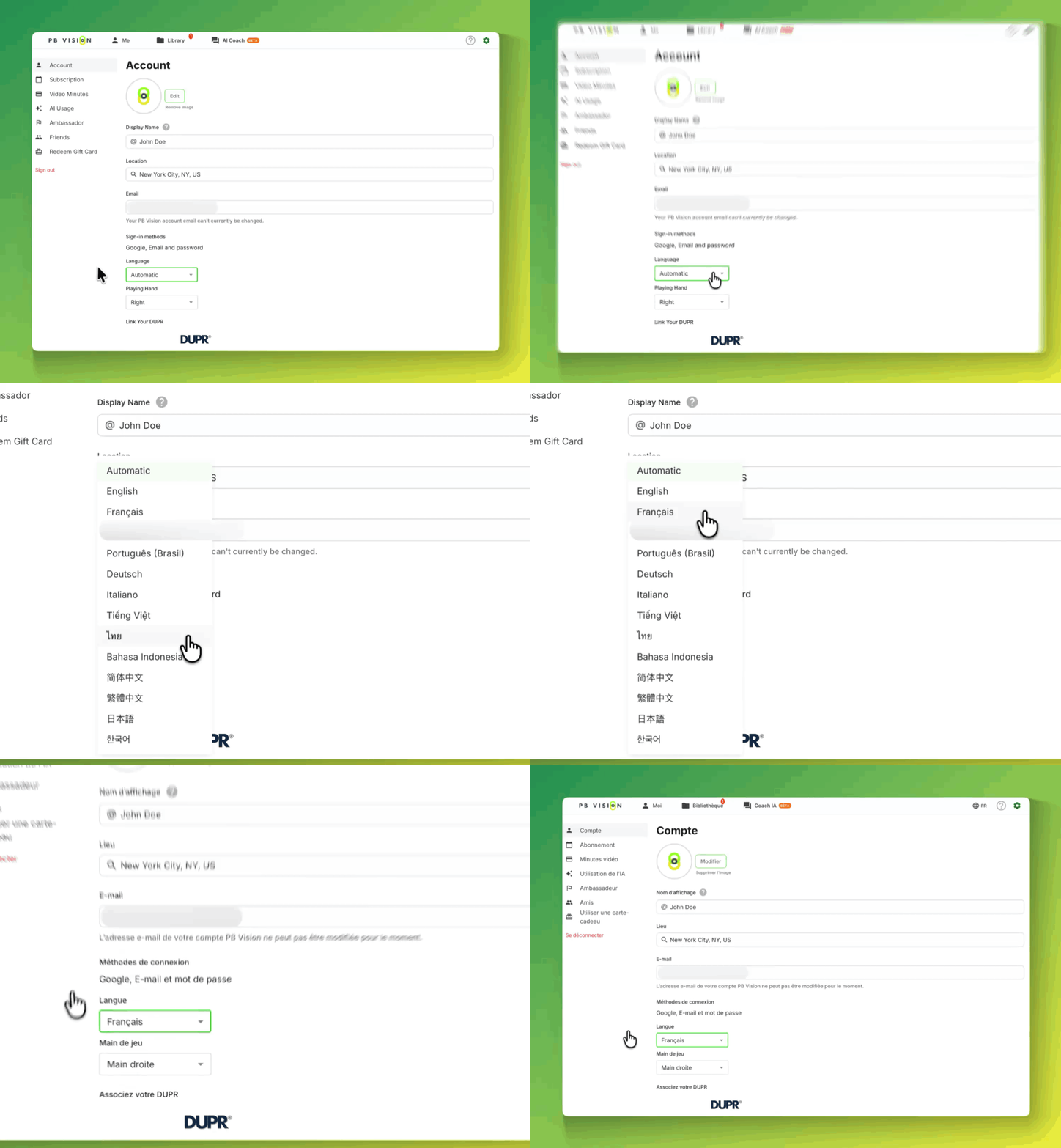
The PB Vision web app now supports 12 more languages, including Spanish, French, Brazilian Portuguese, Japanese, and Korean. Pick yours in Settings → Account.