Organize Smarter, Review More Clearly, and Record from Your Wrist

This update makes it easier to manage players and recordings, learn across a folder of games, review shots frame by frame, refresh older analyses, and control recording from your Apple Watch. Read on!
Scroll to the bottom for a sneak peek at what's coming next. 😉
🤝 Keep track of your friends
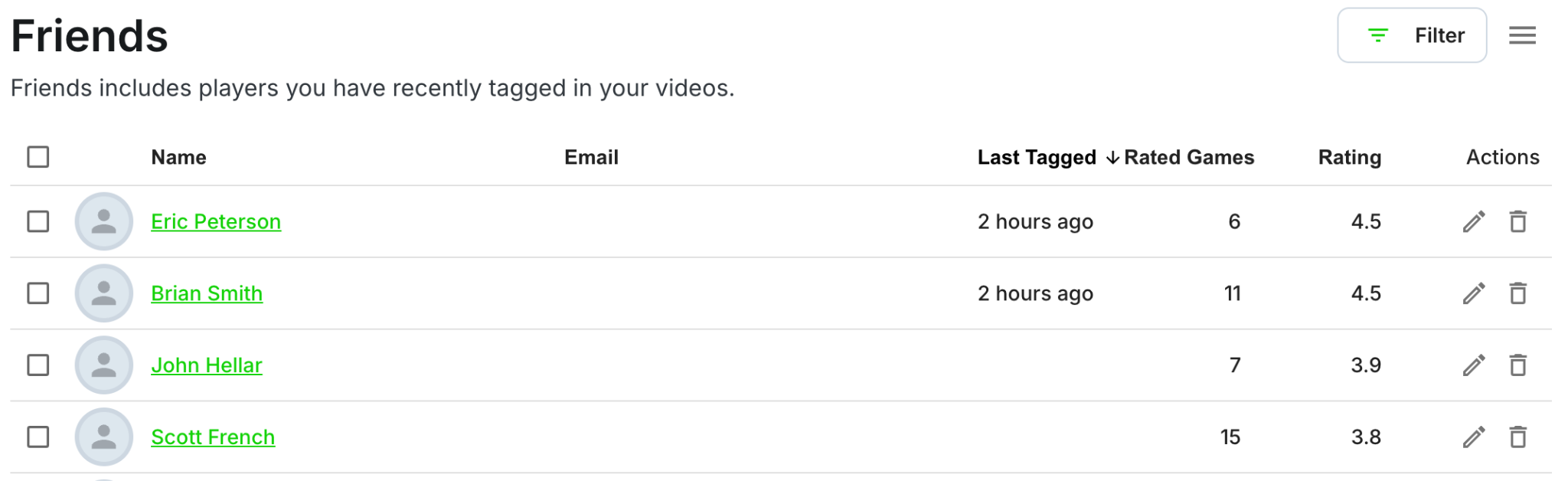
Your new Friends list makes it easier to keep track of regular partners and opponents.
Open it from Profile → Edit Profile (or click here)
Recently tagged players are collected in a searchable roster.
See names, email addresses, last-tagged dates, rated-game totals, and PB Vision ratings.
Search, sort, or filter the roster
🗂️ Organize smarter and learn across more games
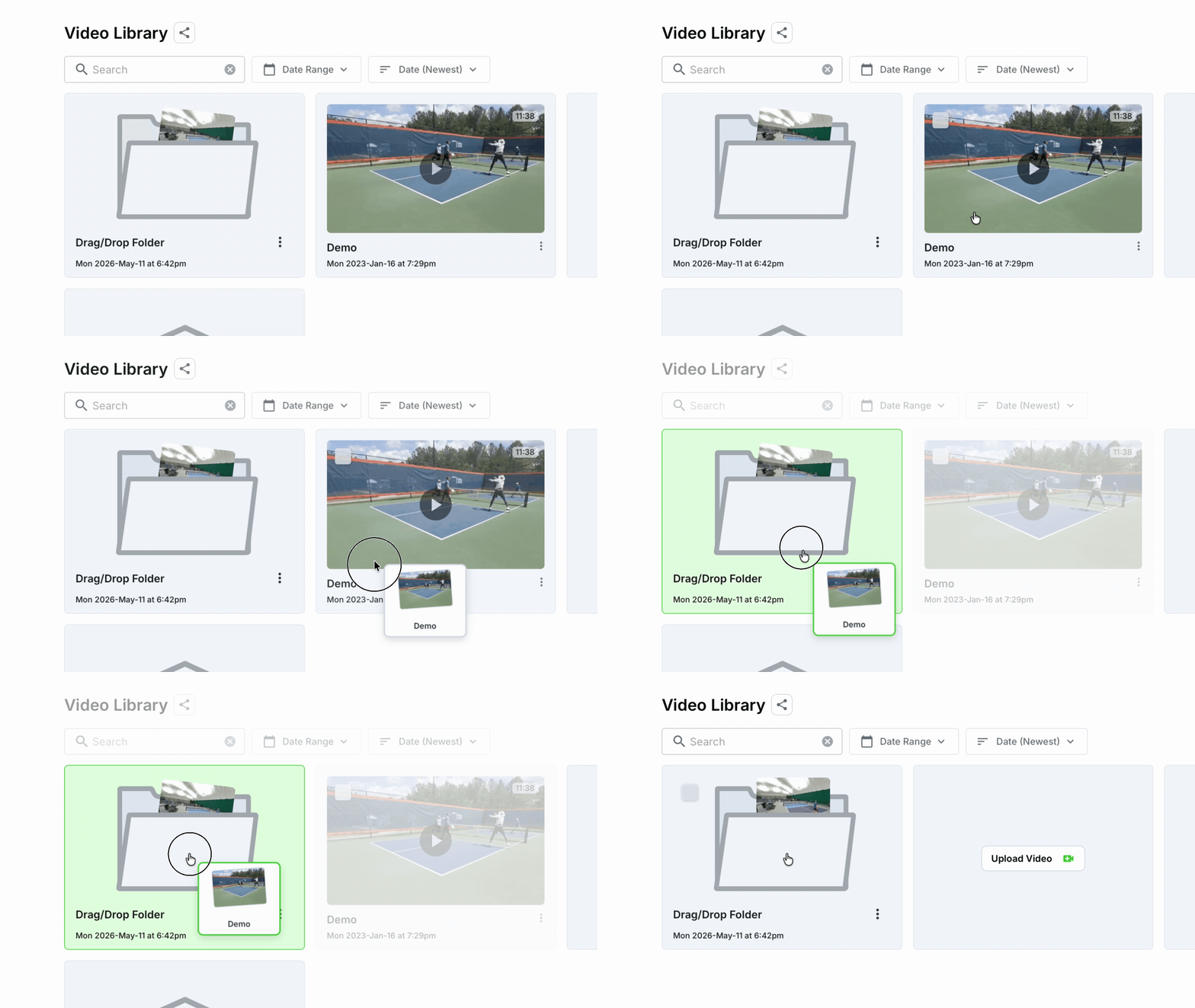
Drag a recording or folder into another folder, drop it onto the breadcrumb path, or select multiple recordings and move them together. Organize games by player, lesson, tournament, team, or training block on desktop or mobile. Then use Discuss with AI or Trends at the folder level to spot recurring patterns and compare progress across eligible games.
⌚ Record from your wrist and keep uploads moving
The latest version of the PB Vision iPhone app brings a smoother recording and upload experience (v3.5 or higher)
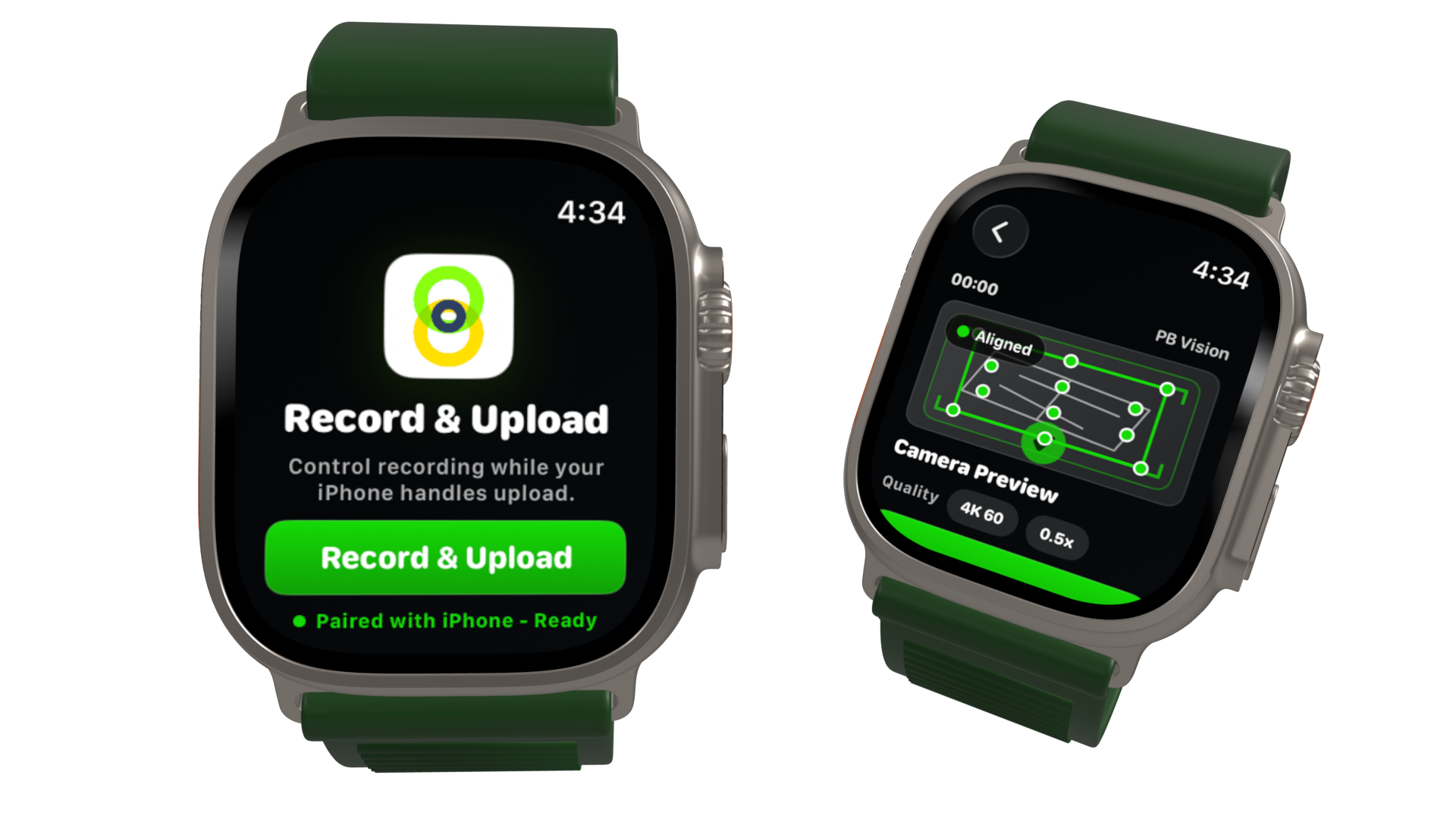
Use your Apple Watch to preview alignment and start or stop recording from your wrist
Start uploads sooner with faster video compression
Keep compressing and uploading while using other apps
🔄 Give an older game a fresh analysis
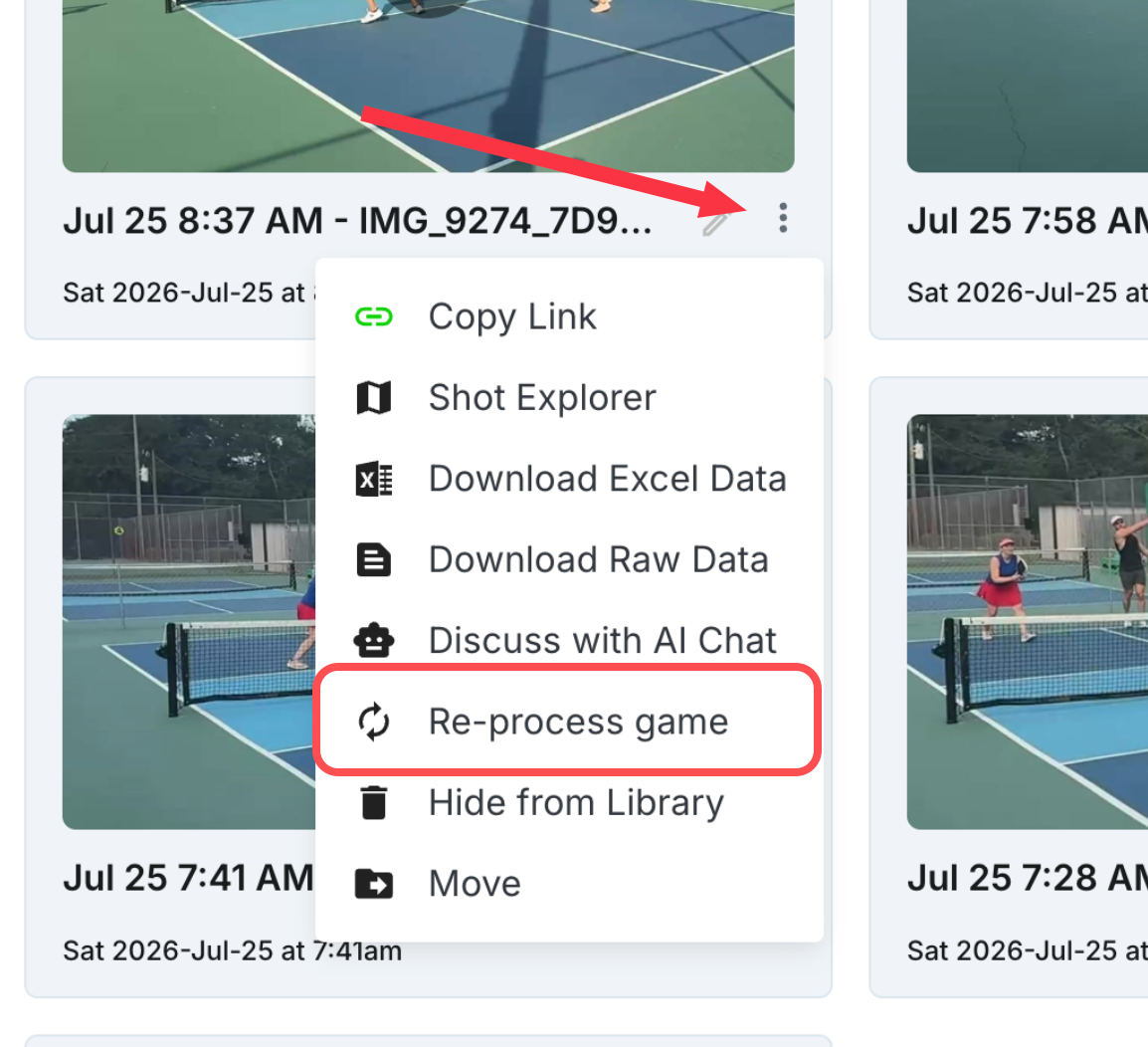
Reprocess an older game using the latest available analysis, such as when you want an updated rating. Before you begin, PB Vision shows the required minutes and your current balance. Reprocessing replaces the game's previous results.
👀 Sneak peek
We're working on three exciting projects that we hope to ship later this month:
Brand new skill ratings - Six new component ratings are on the way: Kitchen Game, Ball Control, Defense, Offense, Court IQ, and Targeting. Together, they'll show more clearly how you play and where to improve next, from positioning and execution to decision-making, pressure, and placement.
In-app AI Coach/Assistant - Ask questions across multiple games and get suggestions linked directly to relevant shots. You'll no longer need to export data to ChatGPT or Claude!
Bookmarks and on-video drawing - Save important moments and add clear visual feedback directly to a video. Switch between clear modes for viewing, editing, and marking up videos. Use bookmarks, markup, crop, and edit tools to add notes, drawings, or stickers tied to exact moments in a game.
If you run into an issue or have feedback, please Contact Us.